



Read the transcript and get the summary
Open a finished recording, search what was said, play it back, and get the write-up.
Open a finished recording
Open Meeting and pick it from the list. Recent meetings are at the top, and you can sort by date or name, or filter to today, yesterday, the last 7 days or the last 30.
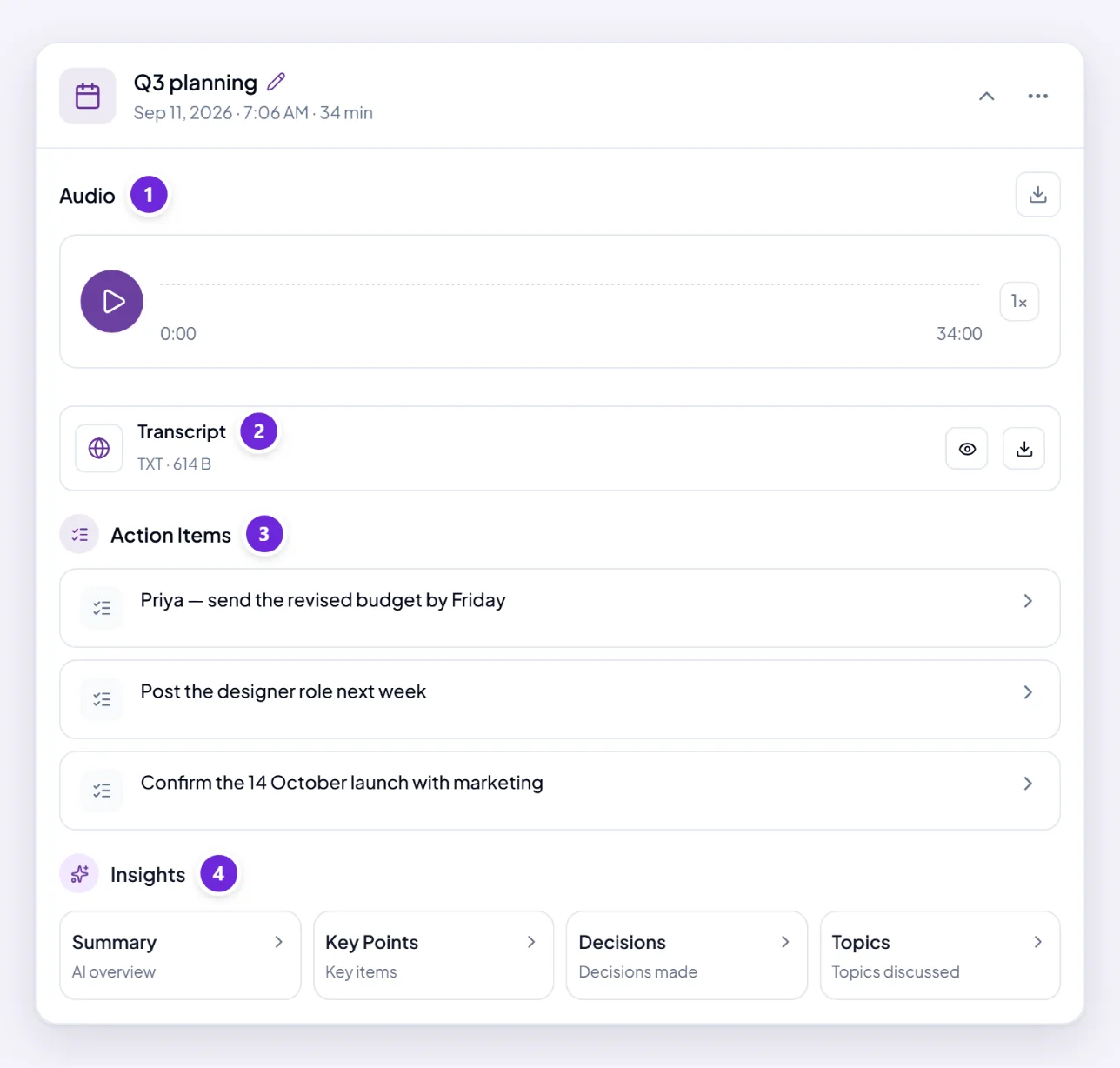
Each meeting carries a status. Completed means everything is ready. Processing means the transcript is still being produced — come back shortly. Failed means it did not process, and no sound, wrong speaker, or no transcript? is the page for that.
A meeting is named by date unless you rename it. If you record often, renaming is what makes them findable later — use the meeting's menu.
Read or search the transcript
The meeting's card has a Transcript row. Its eye icon opens the full text of what was said in a window of its own. With speaker labels on, contributions are marked Speaker 1, Speaker 2 and so on.

The search icon at the top of that window is the fastest way into a long meeting: type a word and the transcript narrows to the lines that contain it, rather than you reading from the top. Searching for a name, a number or a product usually finds the moment you half-remember in one go.
The download icon beside the eye takes the text away as a file.
Play the audio back
The Audio section plays the recording, for when the transcript is ambiguous and tone settles it. Download Recording keeps a copy.
If it says Recording not available, the recording itself did not survive even though other parts of the meeting did.
Get the summary
Under Insights on the meeting's card there are four cards: Summary, Key Points, Decisions and Topics. Choosing one asks Orsola to write that for this meeting, and the answer arrives in the conversation. Nothing is produced until you ask, so a meeting you never asked about has none.
Action Items are different: Orsola lists them on the card by itself once the meeting has been processed, and choosing one asks Orsola to take it on.
For anything more specific, type it in the message box below the meeting: "What did we agree about the deadline?", "Did anyone object to the budget?"
Each one costs credits, because it is real work over the transcript. Asking a specific question is usually cheaper and more useful than generating everything and reading through it.
These are drawn from the transcript, so they inherit its accuracy. If the recording was poor, check anything you plan to act on against the audio.
Where to go next
Turn something the meeting agreed into a reminder by asking for it in the ordinary way — ask for something to happen later or every week.