



Turn on two-step verification
Add a code from your phone to sign-in, so a stolen password is not enough.
What it does
With two-step verification on, signing in needs your password and a six-digit code from your phone. Somebody who has your password still cannot get in.
It is the single most useful thing you can do for your account's security, and it takes about two minutes to set up.
What you need first
An authenticator app on your phone — Google Authenticator, Authy or any equivalent. They are free, and one app holds codes for as many accounts as you like.
This is not the same as text-message codes. The app generates codes on the device itself, which is why it keeps working when you have no signal.
Turn it on
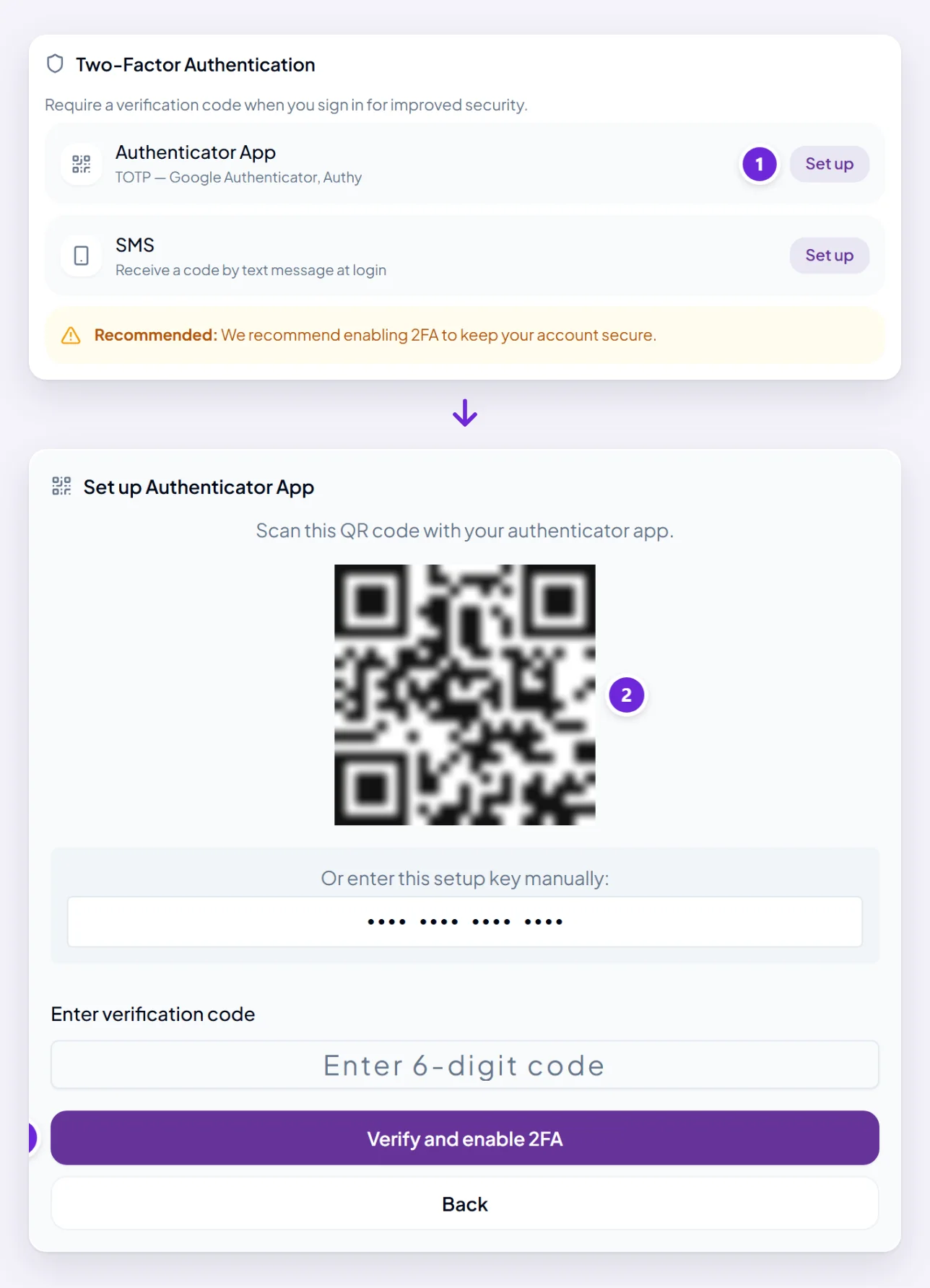
- Open your Profile and find Two-Factor Authentication.
- Choose Begin 2FA setup. A QR code appears.
- Scan it with your authenticator app. If you cannot scan — setting it up on the same phone, for instance — enter the secret key shown beneath it by hand instead.
- Type the six-digit code the app is showing and choose Verify and enable 2FA.
- Save the backup codes it gives you now, before you close the screen. See backup codes and trusted devices.
Do not skip the last step. Backup codes are how you get in if you lose the phone, and this is the one moment they are offered.
What changes when you sign in
After your password you are asked for the six-digit code. The code changes every thirty seconds; use whatever the app shows at the time.
You are also asked for a code before some things inside your account — changing your password, and signing out of every device — because those are exactly what somebody who got in would want to do.
You can mark a device as trusted so it stops asking every time on that one machine.
Turn it off
Same place in your Profile. You will be asked for a current code to confirm it is you.
Worth thinking about before you do. If it is asking too often, marking your usual device as trusted solves that without giving up the protection.
Where to go next
Backup codes and trusted devices is the other half of this, and the part that saves you if the phone is lost.