



Build an agent for one specific job
Create an agent with its own instructions for work you do the same way every time.
When it is worth it
A custom agent is Orsola with standing instructions and a narrower job. It earns its keep when you do the same kind of work repeatedly and find yourself re-explaining the context every time.
Good candidates: turning rough notes into client emails in a particular tone; reviewing documents against the same checklist; drafting updates in a house style. If you have only done it once, just ask in an ordinary conversation.
Building your own agent needs Pro or Max.
Create one
- Choose Add Agent, then Create Custom Agent.
- Give it a name you will recognise in the sidebar.
- Write its System Prompt — the standing brief it follows every time.
- Choose its capabilities: the tools it may use. Pick specific ones, or Allow All Tools. At least one is required.
- Create it. It appears in your sidebar.
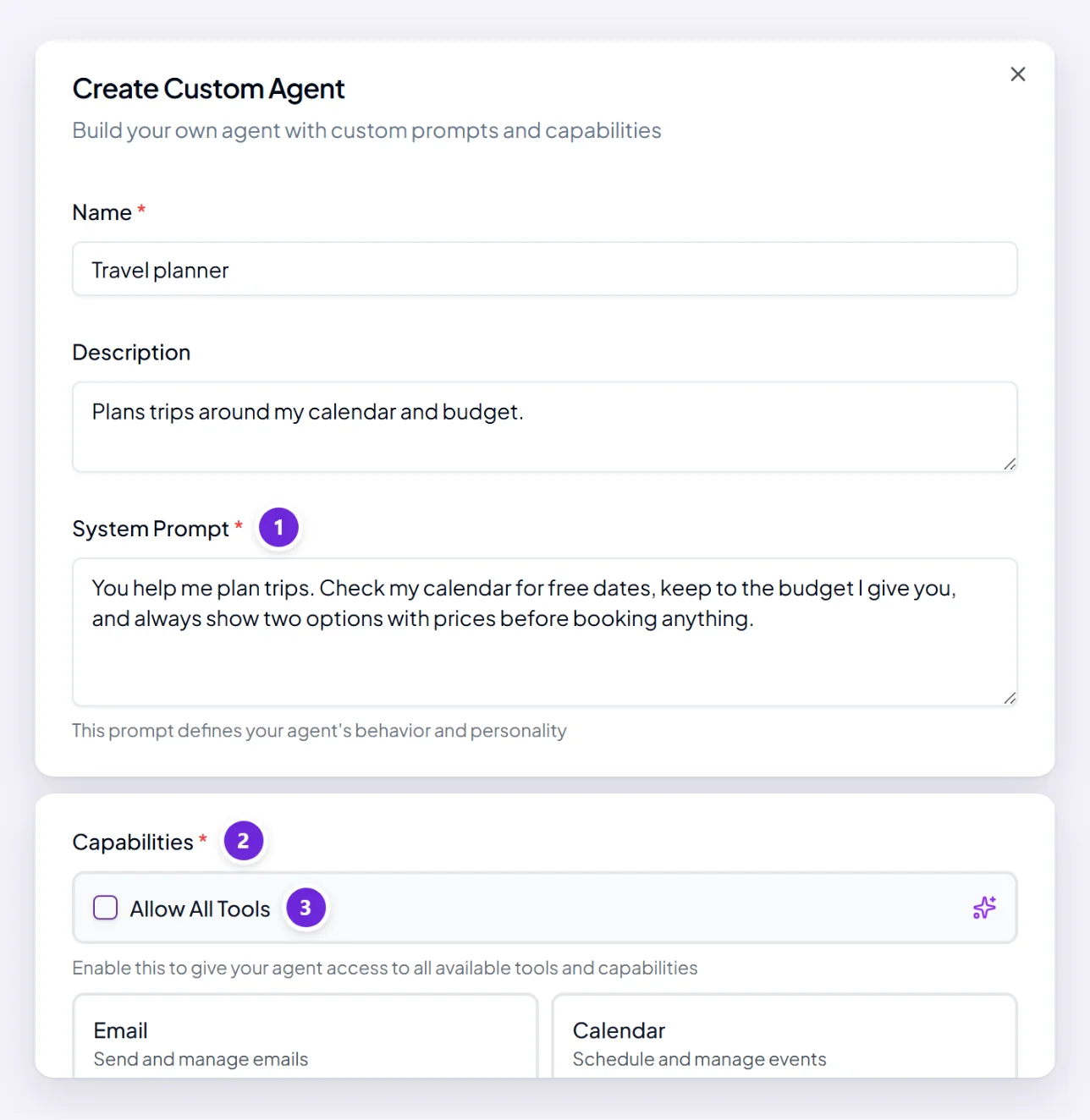
Write instructions that work
Treat it as briefing a new colleague who is competent but knows nothing about you. Worth including:
- The job, in a sentence. "You turn my meeting notes into short client-facing emails."
- The audience — who reads the output.
- The tone and length, concretely. "Under 150 words. Warm but not chatty. Never use exclamation marks."
- What to always do — "always end with a clear next step and a date".
- What never to do — "never promise a delivery date I have not given you".
Specific beats comprehensive. Five concrete rules outperform a page of general description.
Choosing capabilities
Give it what the job needs and no more. An agent that writes emails from notes you paste in does not need access to your calendar, and a narrower set makes its behaviour more predictable.
Allow All Tools is convenient while you work out what it needs, and worth narrowing afterwards.
Test it, then adjust
Give it a real piece of work rather than a made-up one, and read the output critically. The gap between what you got and what you wanted is the instruction you have not written yet.
Edit and try again — it takes two or three rounds to get one genuinely useful, and the last round is usually adding a "never" rather than a "always".
Editing and removing
Edit it any time from its settings; changes apply to what comes next, not retrospectively.
Removing a custom agent is not reversible from the app. Its conversations and history are kept, but the agent itself cannot be restored — you would build it again. That is different from a built-in agent, which you can add back whenever you like, so it is worth a second thought and worth keeping a copy of instructions you laboured over.
Where to go next
Choose the right agent for the job covers the built-in ones, several of which may already do what you were about to build.