



Choose the right agent for the job
What Task, Meeting, Phone, Expense, and Nutrition are each for, and when plain Orsola is enough.
When plain Orsola is enough
Orsola is the one you start in, and it handles most of what people ask for: questions, drafting, reading documents, searching your connected mail and calendar, planning something out.
You do not have to pick an agent before you ask. Orsola passes work to the right place on its own when it needs to — asking it to remind you on Friday sets up a reminder without you switching to anything. The other agents exist for when you want to go straight to a screen built for that job.
Task, Meeting, Phone, Expense, Nutrition, Video — what each is for
| Agent | Use it when | What you get |
|---|---|---|
| Task | Something should happen later, or on a repeat | A list of what you have scheduled, when each next runs, and the results as they arrive |
| Meeting | You want a discussion captured | A recording, a transcript, a summary, and the things people agreed to do |
| Phone | You want calls handled for you | Your own Orsola phone number, call summaries, and text messages |
| Expense | You are tracking what you spend | Receipts read into amounts, dates and categories, and a view of where the money went |
| Nutrition | You are keeping track of what you eat | Meals logged by photo, barcode or voice, allergen checks, and your goals and weight over time |
| Video | You want a video of your photos, or a short ad | Birthday films and albums from your photos and clips, and commercials with AI shots, rendered and shared by link |
Nutrition asks for its own permission before it stores anything, and is for adults only — start using Nutrition covers what you are agreeing to.
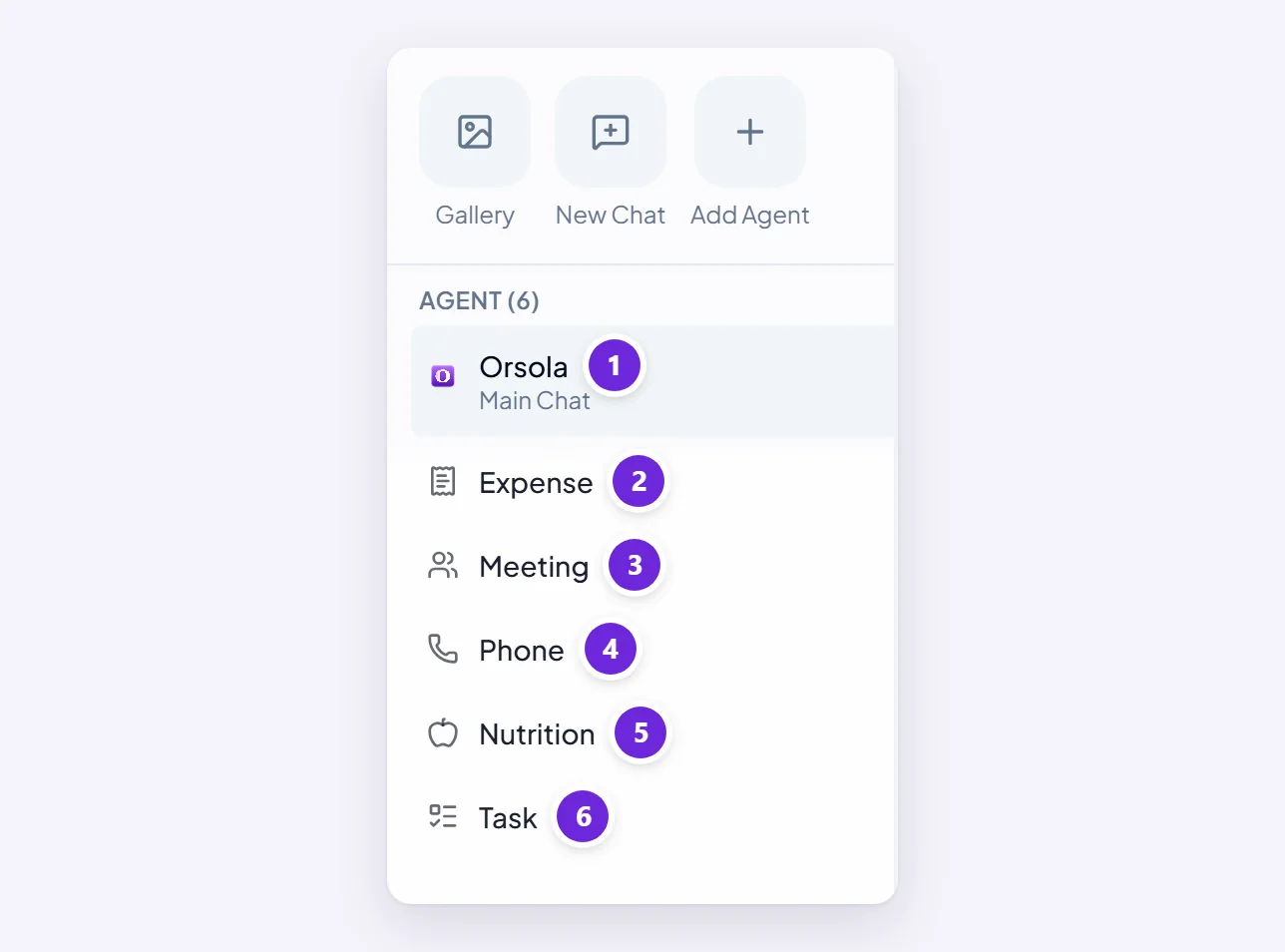
Custom is an agent you build yourself, with its own instructions for one narrow job you do often.
Add or remove one from the sidebar
The sidebar shows only the agents you keep. To add one, choose Add Agent and pick it from the list. To remove one, open it and choose Remove.

This is about what you see, not about what you are allowed to use. Removing Meeting does not turn recording off; it takes the icon out of your sidebar.
What happens to your conversations when you remove one
Your conversations and their history are kept either way. Removing an agent never deletes what you did with it.
There is one difference worth knowing before you do it:
- A built-in agent — Task, Meeting, Phone, Expense, Nutrition, Video — can be added again later, and everything is where you left it. Removing Nutrition does not delete your nutrition data; only Stop and delete in its own settings does that.
- An agent you built yourself keeps its conversations, but cannot be added back from the app. If you want it again you build it again. Removing a custom agent is worth a second thought for that reason.
Which ones your plan includes
| Agent | Available from |
|---|---|
| Orsola, Task, Meeting, Expense, Nutrition, Video | Every plan, including Free |
| Building your own agent | Pro |
| Phone | Max |
An agent your plan does not include is not hidden — you will see it and be told what it needs. The plans, and what each one includes has the credits and connected-account limits alongside this.
Where to go next
Whichever agent you pick, the way you ask is the same: start a conversation and get a useful answer.