


Start using Nutrition
Turn it on, what you are agreeing to, and how your daily targets are worked out.
Turn Nutrition on
Nutrition is not in your sidebar to begin with. Choose Add Agent, pick Nutrition from the list, and it appears alongside your other agents.
It is on every plan, Free included. There is nothing to buy first.
The first thing it shows you is a screen headed Before you start. Nothing is recorded until you have read it and chosen Agree and continue; Not now leaves everything as it was.
What you are agreeing to
What you eat, what you weigh and what you are allergic to is health information, so Nutrition asks for its own permission rather than leaning on the one you gave when you signed up. The short version:
- Your meals, weight, water and allergies are kept for you, and stored encrypted.
- They are not used for analytics or advertising.
- Orsola's AI reads them in order to answer you.
- Nothing is sent out of Orsola unless you ask — and that needs a second, separate permission.
- It is not medical advice, and it will not answer questions about medication.
- You need to be 18 or over.
The full wording is on the screen itself, with our Consumer Health Data Privacy Policy linked beside it. You can stop at any time, and stopping deletes everything — your settings, and your nutrition data covers that.
Setting it up
A handful of short steps, once. Most are a single tap.
- Where you live — United States or Canada. This sets which allergen list is used, your units, and how food labels are read.
- Your age. Checked once to confirm you are 18 or over; only the year is kept.
- About you — height, weight, sex and activity level, used to work out your targets.
- Your goal, and a weekly pace if it is a weight goal.
- Allergies and diet.
- How to show your day, your units, and whether you want a daily reminder.
Then Start logging. Everything here can be changed later under Settings.
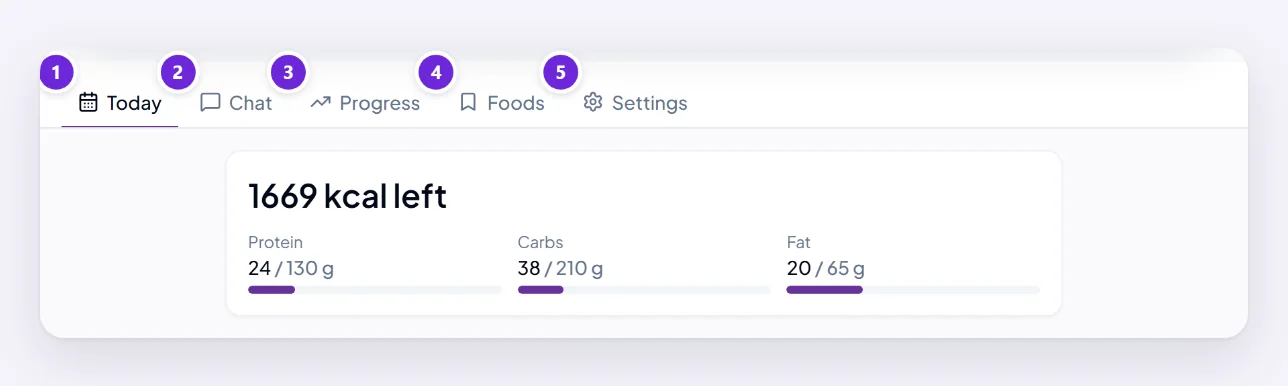
You can skip the personal details. Leave Personalise my targets off and Orsola uses general reference targets instead — you can still log meals and check allergens. A weight goal is the one thing that does need them.
Choosing a goal
| Goal | What it does |
|---|---|
| Lose weight | A steady calorie budget and a weekly pace |
| Maintain weight | Keeps your weight where it is |
| Gain weight | A small daily surplus |
| Eat better | Focuses on what you eat rather than on the number |
| More protein | A higher protein target |
| Eating less than usual | For a smaller appetite — more protein, fibre and water, and no added deficit |
Your targets, and the limits on them
Targets are calculated from your answers, and you can adjust them under Settings — but not past a floor. Orsola tells you in words when one applies, rather than quietly changing the number:
- A daily calorie target below a safe minimum is raised to it.
- A weekly pace faster than we support is slowed to the fastest safe one, and never goes above 1% of your body weight a week.
- A goal weight below a healthy weight for your height is raised to the lowest healthy one.
These are applied by Orsola itself, not decided in the conversation, so asking the agent to go under one will not move it.
What it will not do
It stays on food and wellbeing. It will not diagnose anything, manage a condition, or answer a question about medication — dose, timing, side effects — and will point you to your prescriber or a registered dietitian instead.
It will also never tell you a food is safe. Allergies, and what the verdicts mean explains what it says instead, and why.
Where to go next
Log a meal is the thing you will do most.