



Your settings, and your nutrition data
Change your goal, units and reminders — and export or permanently delete everything.
Where the settings are
The gear at the top of the Nutrition workspace opens its Settings — not your account settings. Everything you answered when you set Nutrition up is here, and changing it is the same set of questions.
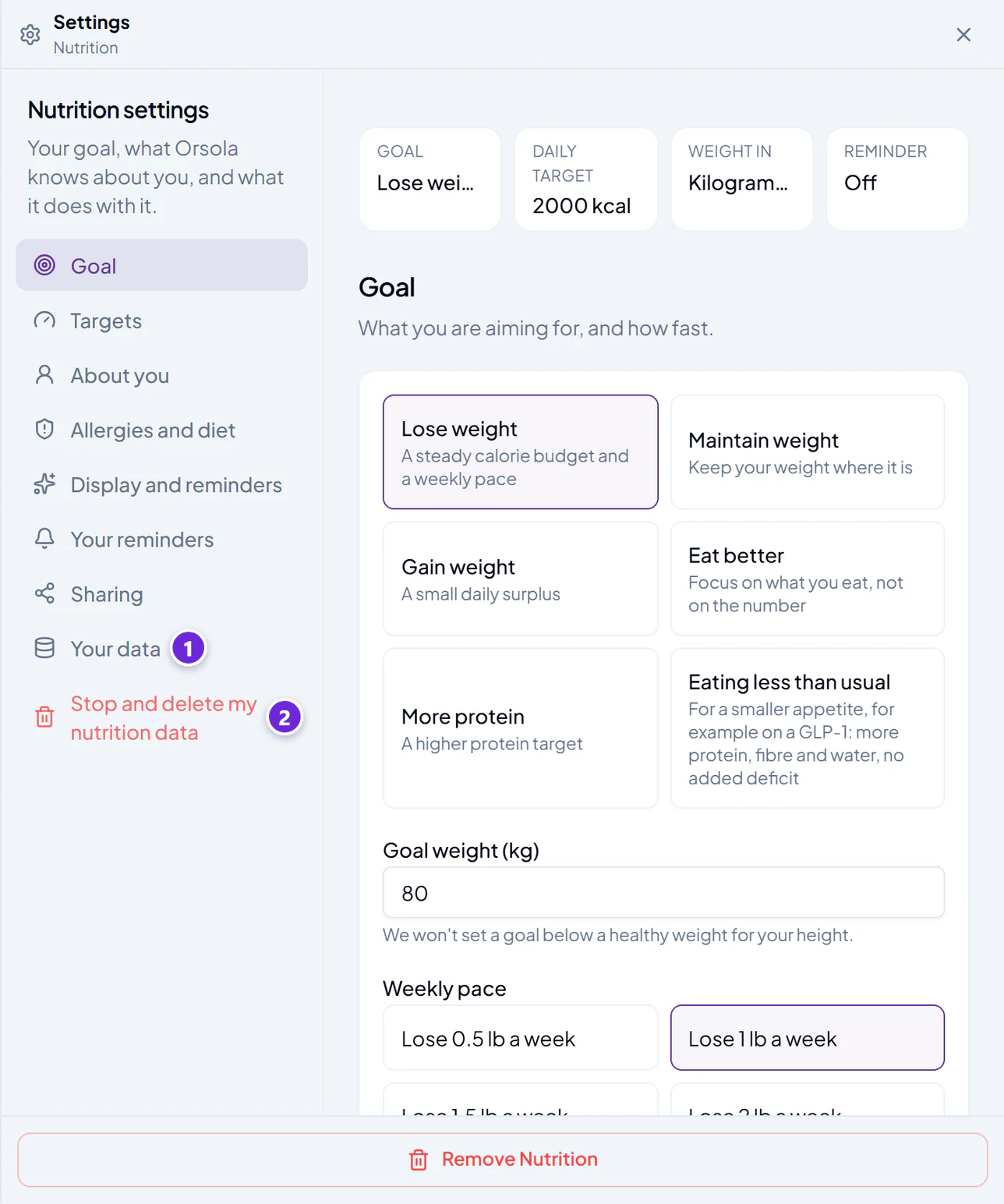
A save bar appears only once something differs from what is stored. Save, and the form reloads with what was actually kept: the server recalculates your targets and may clamp a pace you set, so what comes back is the truth rather than what you typed.
What you can change
- Goal — and the weekly pace, when it is a weight goal.
- About you — height, weight, sex and activity level, behind Personalise my targets. Turn it off and Orsola uses general reference targets instead.
- Allergies and diet — see allergies, and what the verdicts mean.
- Display and reminders — Numbers or Calorie-free, your units, and the daily reminder.
Voice and recordings are not here. The voice Nutrition speaks in, and whether what you say aloud keeps its audio, are set once for every agent in Agent settings on the agents page — see choose how Orsola sounds. Save agent discussions is off until you turn it on, and when it is on it covers Nutrition like every other agent. The transcript is kept either way — it is what the chat shows and what the meal was drafted from — so this is a choice about the audio alone.
Units are a display choice, not a conversion you have to commit to: switching between pounds and kilograms re-labels your history rather than rewriting it.
Sending something to someone else
Nothing about your nutrition leaves Orsola unless you turn on Sharing, which is a second permission and separate from the one you gave at the start. It is off until you choose Allow sharing, and Stop sharing turns it off again.
With it on, you can ask Orsola to email a summary — to a dietitian, say — or to save one to your connected Drive. An email is prepared and shown to you first, with its recipients, its wording and its attachments, and it is sent only when you press Send. Until then nothing has gone anywhere.
This cannot be done by voice, because a spoken turn cannot show you what you would be approving. Ask for it in the typed chat.
Taking a copy
Export my nutrition data gives you your meals, water, weight and foods as spreadsheets in a zip file.
This is separate from the account-wide export — nutrition is kept apart from the rest of your data, so it is exported from here rather than from your account. Download a copy of your data covers the other one.
Stopping, and deleting everything
Stop and delete my nutrition data turns Nutrition off and permanently deletes your meals, your photos, your weight, your allergies and your profile. There is a confirmation step, and after that it is not recoverable — this is a real delete, not an archive.
It affects nothing else. Your account, your conversations elsewhere and everything outside Nutrition are untouched, and you can start Nutrition again later from scratch.
Photographs of meals and labels are deleted after 30 days in the ordinary course of things, whether or not you ever do this.
Where to go next
Who can see your chats, files, and recordings sets out the wider picture your nutrition data sits inside.