



Why can't I send a message?
The message box is blocked. Which of the five reasons it is, and how to clear it.
What you are seeing
The message box will not let you type or send, and there is a notice above it with a button.
Read the notice — it names the cause. There are five, each with its own wording and its own one-step fix, and the button beside it goes straight to the right place.
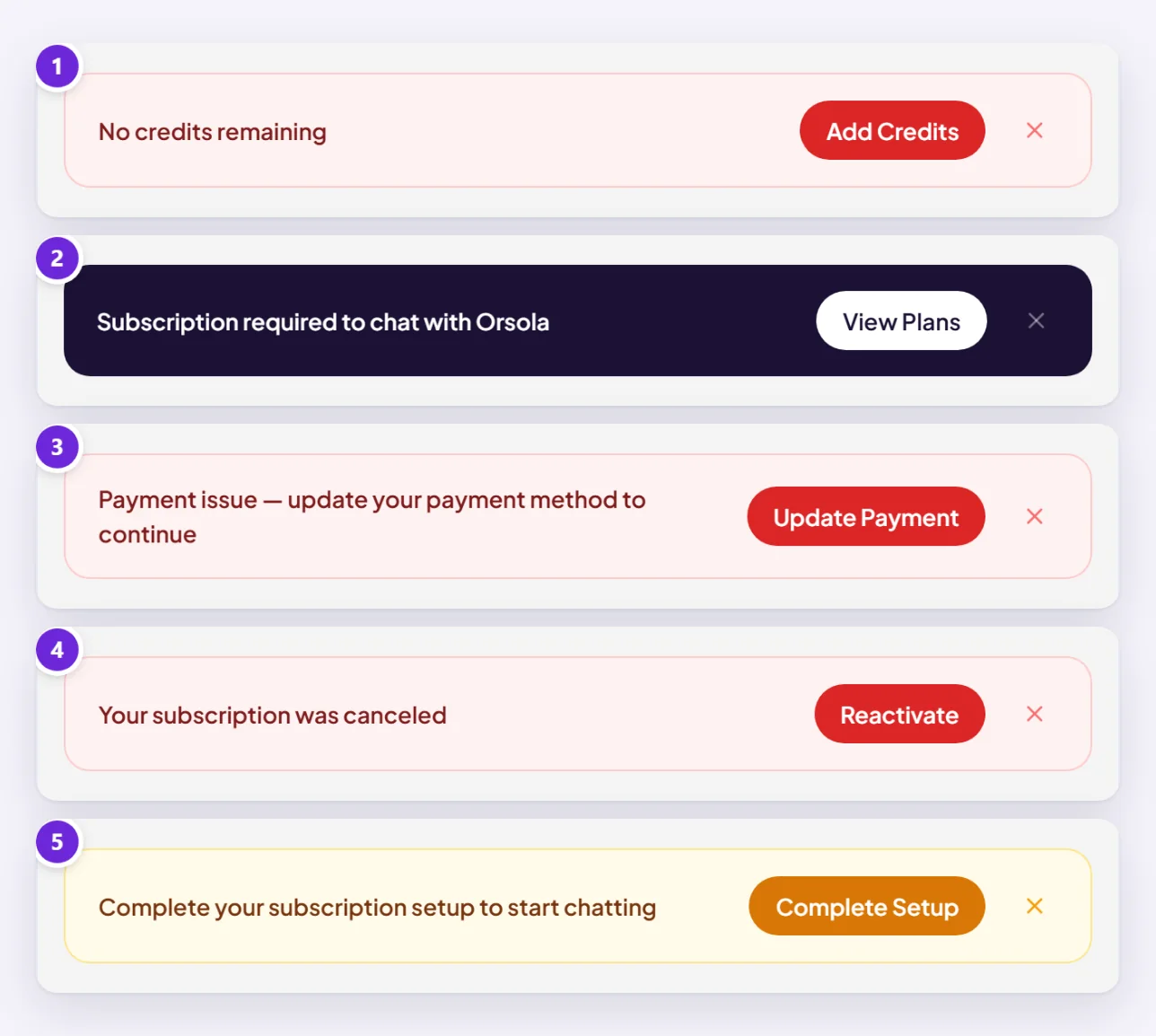
No credits left
"No credits remaining", with Add Credits.
You have used your monthly allowance and have no bought credits to fall back on. Three ways out:
- Buy a credit pack. They never expire, so nothing is wasted if you over-buy.
- Wait for your monthly credits to reset — your Dashboard shows the date under Resets.
- Move up a plan if this happens every month rather than once.
Check your balance and usage shows which kind of work consumed the month, which is usually the more useful question.
Your plan does not include this feature
"Subscription required to chat with Orsola", with View Plans.
You have opened something your plan does not cover. Building your own agent needs Pro, and a phone number needs Max.
Either move to a plan that includes it, or use an agent your plan does have — the plans, and what each one includes has the table, and everything on the Free plan still works.
A payment needs sorting out
"Payment issue — update your payment method to continue", with Update Payment.
A charge did not go through. Usually the card expired, was replaced, or was declined by the bank rather than by us.
Open Subscription, add or update the card, and access returns once the payment succeeds. Nothing is lost while it is unpaid.
Your subscription was cancelled
"Your subscription was canceled", with Reactivate.
Either you cancelled it, or it lapsed after payments stopped. If you cancelled at the end of the period and that date has not arrived yet, resuming puts everything back as it was. Otherwise, pick a plan and subscribe again — see change, pause, or cancel your plan.
Setup was never finished
"Complete your subscription setup to start chatting", with Complete Setup.
A subscription was started but never completed — typically a payment step closed or abandoned partway. Choose the button and finish it; you are not charged twice for the attempt that did not complete.
Still stuck
If you have credits, an active plan that covers what you are doing, and a working card, and the box is still blocked, reload the page first — the notice can outlive the problem it was describing.
If it survives a reload, get in touch with the exact wording of the notice and what you were trying to do.