



Check your balance and usage
Where to find what is left, what you have used this month, and when it refills.
Where your balance is
Open your Dashboard. Total Balance is what you have left, in credits.
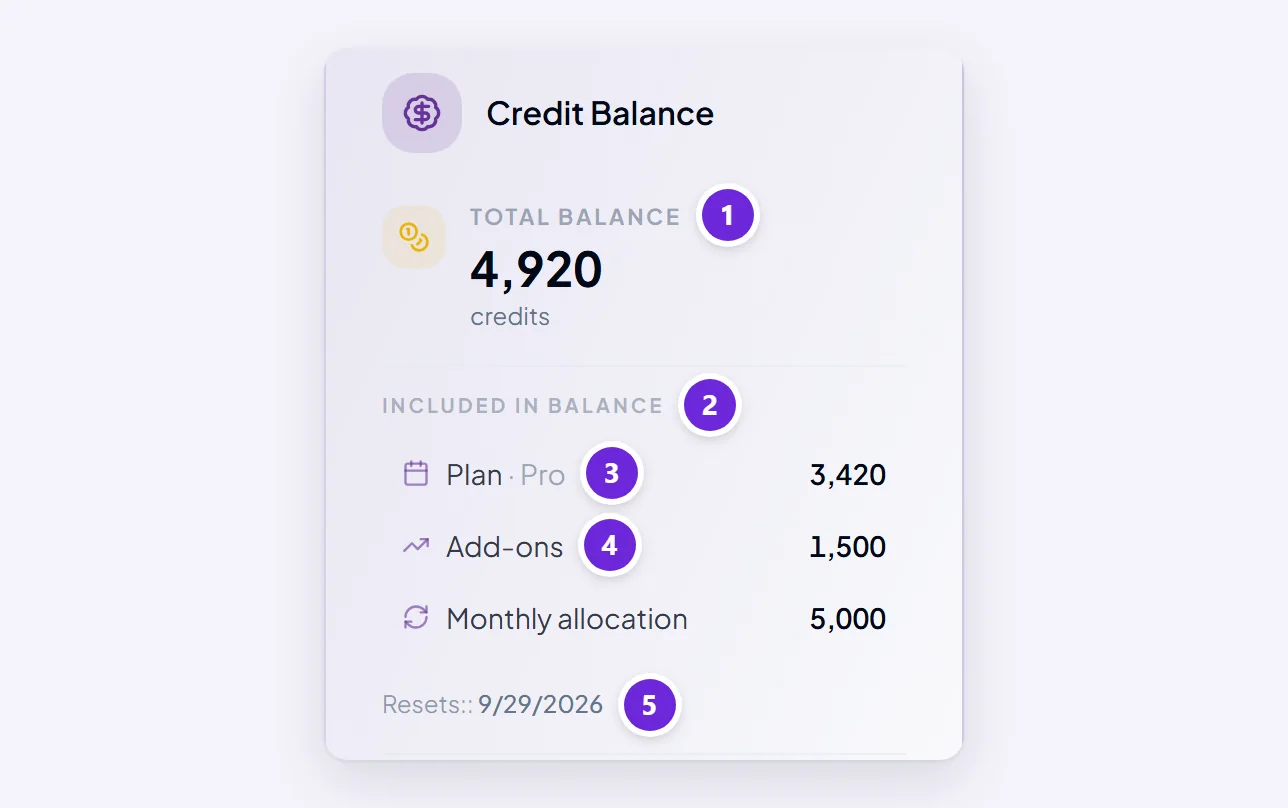
Underneath, Included in balance splits it into the two pots that behave differently:
- Plan — this month's allowance. Spent first, and does not roll over.
- Add-ons — credits you bought. Spent only once the plan credits are gone, and they do not expire.
A total that looks healthy can still be about to cause trouble if nearly all of it is plan credits a few days before your reset date. The split is the number worth reading, not the total.
What you have used this month
Usage by Category, on the same Dashboard panel, breaks your spending into the kinds of work Orsola meters:
- Conversational AI — chatting with Orsola and the agents
- Search & Retrieval — looking things up in your files or on the web
- Autonomous Agents — work done on your behalf by the task, email and expense agents
- Audio & Transcription — recordings, transcripts and spoken conversations
- Media Generation — images and video
- Data Processing — translation and handling data from connected accounts
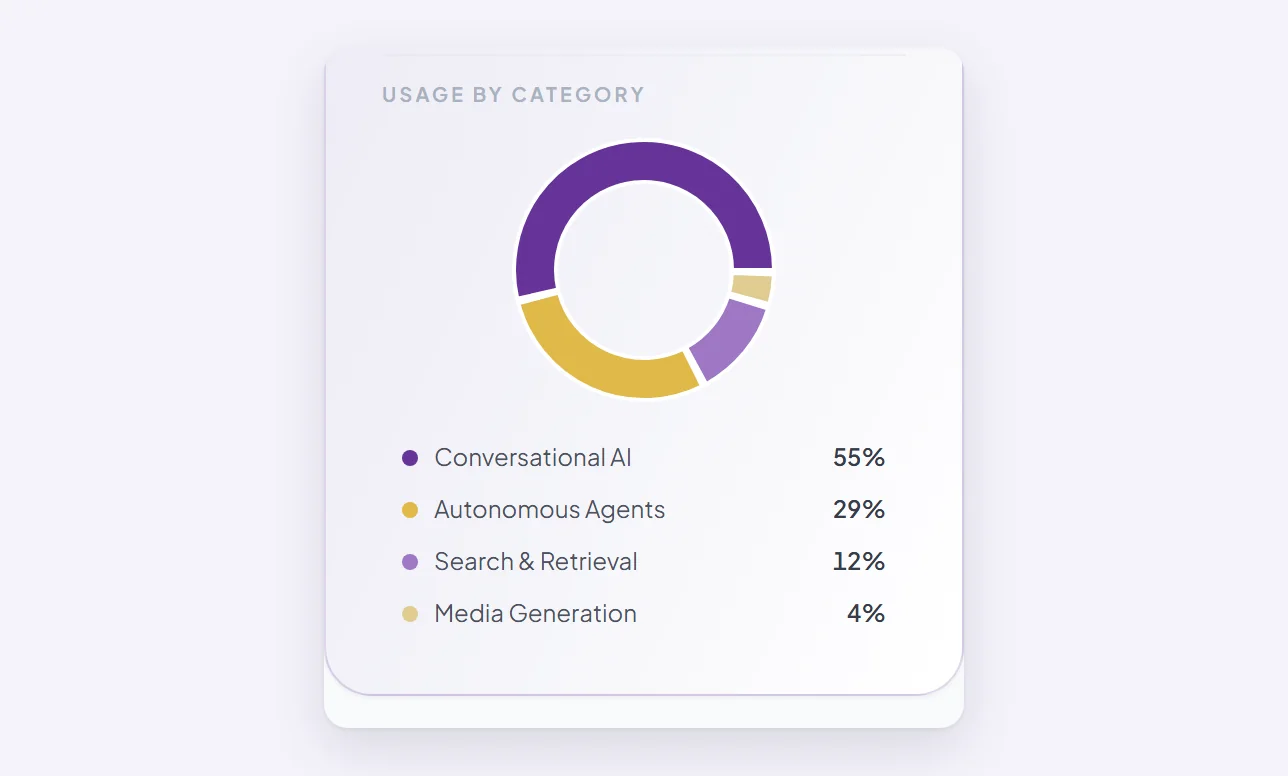
This is the fastest way to answer "where did my credits go?" — it is usually one category doing most of the damage rather than general use.
When your monthly credits refill
The Dashboard shows Resets with the date. On that date your allowance returns to your plan's full amount.
Anything left over is not carried across. Unused plan credits are written off at the reset, so there is no benefit to saving them — and if you have been holding back on something all month, do it before the date rather than after.
Credits you bought are untouched by the reset.
Getting warned before you run out
Two things watch this for you:
- A notice in the conversation as you approach the end — how much of the monthly allowance you have used, how many credits remain, and how many days until they reset.
- Automatic top-up, if you switch it on. Set a threshold and Orsola buys a credit pack when you drop below it, so you are not interrupted. The Dashboard shows the threshold, any monthly limit you set, and how much of that limit is left.
Running out is not a penalty — you are simply blocked from spending more until credits are added or the month resets. Why can't I send a message? covers what that looks like.
Where to go next
What credits are, and what uses them explains why one week costs more than another.