



Set up your account
Sign up, confirm your email, and get to your first useful answer in about ten minutes.
Sign up with an email address
- Open the sign-up page and enter your name, your email address and a password.
- Tick the boxes for the Privacy Policy and the Terms of Service. You can read either one in full without leaving the page — the links open them in place. While Orsola is in beta you are also asked to accept the Beta Program Terms.
- Choose Sign up. We send a confirmation email straight away.
Use an address you can open right now. You cannot sign in until you have clicked the link in that email.
Sign up with Google, Microsoft, or Apple
The sign-in page also offers buttons for Google, Microsoft and Apple. Choosing one sends you to that company to sign in, and brings you back with an Orsola account already made — there is no password to pick and no email to confirm.
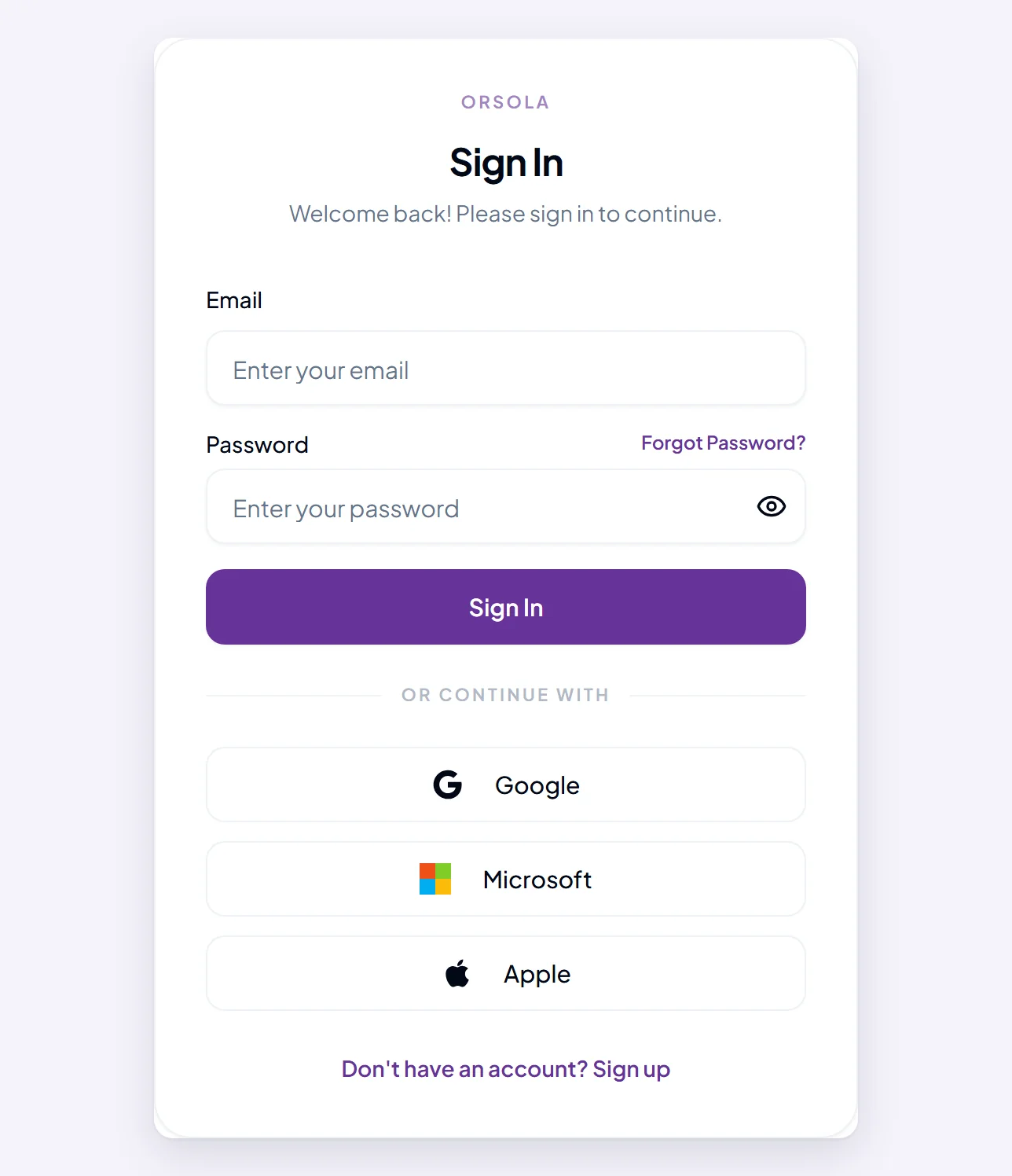
Two things worth knowing. Signing in with Google is not the same as connecting your Gmail: it only proves who you are, and Orsola still cannot read your mail until you connect it as an account. And if you sign up this way, keep signing in the same way — an account created with Google has no Orsola password to fall back on.
Confirm your email address
Open the email from us and click the link. That is the whole step, and it finishes your account.
If the email has not arrived after a couple of minutes, look in your spam or junk folder first, then use Resend verification email on the sign-in page. You can ask for it three times a day; after that you have to wait until tomorrow, so do check the spam folder before spending a request.
If the link says it is invalid or has expired, ask for a fresh one — links are single-use, and an old one in an older email will not work.
The permissions you are asked to accept
At sign-up you are agreeing to two documents: the Privacy Policy, which says what we do with your data, and the Terms of Service, which is the agreement for using Orsola at all. During the beta there is a third, the Beta Program Terms. Both of the first two are linked from the sign-up form and from the footer of every page.
This is separate from letting Orsola into your mail, calendar or files. Nothing at sign-up gives it access to any of that — you connect those one at a time afterwards, and you can disconnect them the same way.
What you get without paying
A new account starts on the Free plan: 1,000 credits a month and one connected account, at no cost. That is enough to read documents, draft things, record meetings and log expenses, which is most of what people try first.
Building your own agent starts at the Pro plan, and your own Orsola phone number is on Max. Talking to Orsola out loud is on every plan.
Where to go next
You are set up. Ask your first question — it suggests five things worth trying before anything else.