



Where scheduled results turn up
Where a finished job puts its result, and how to get told about it by email or on your phone.
The bell and unread badges
Scheduled work finishes while you are somewhere else, so the bell in the top bar is how it reaches you. A number on the bell is how many notifications you have not opened yet; past ninety-nine it shows 99+.
Open the bell for the list, and choose one to go to the thing it is about. Mark all read clears the number without opening anything, which is the right move after a holiday.
The number is the only signal that something arrived. If you are waiting on a weekly summary and the bell is clear, nothing has finished yet.
Result boxes, and what their buttons do
Most results are text and read like any other reply. Some come back as a box with controls on it — a list of emails, a table, a chart, a suggested time, something waiting to be confirmed.
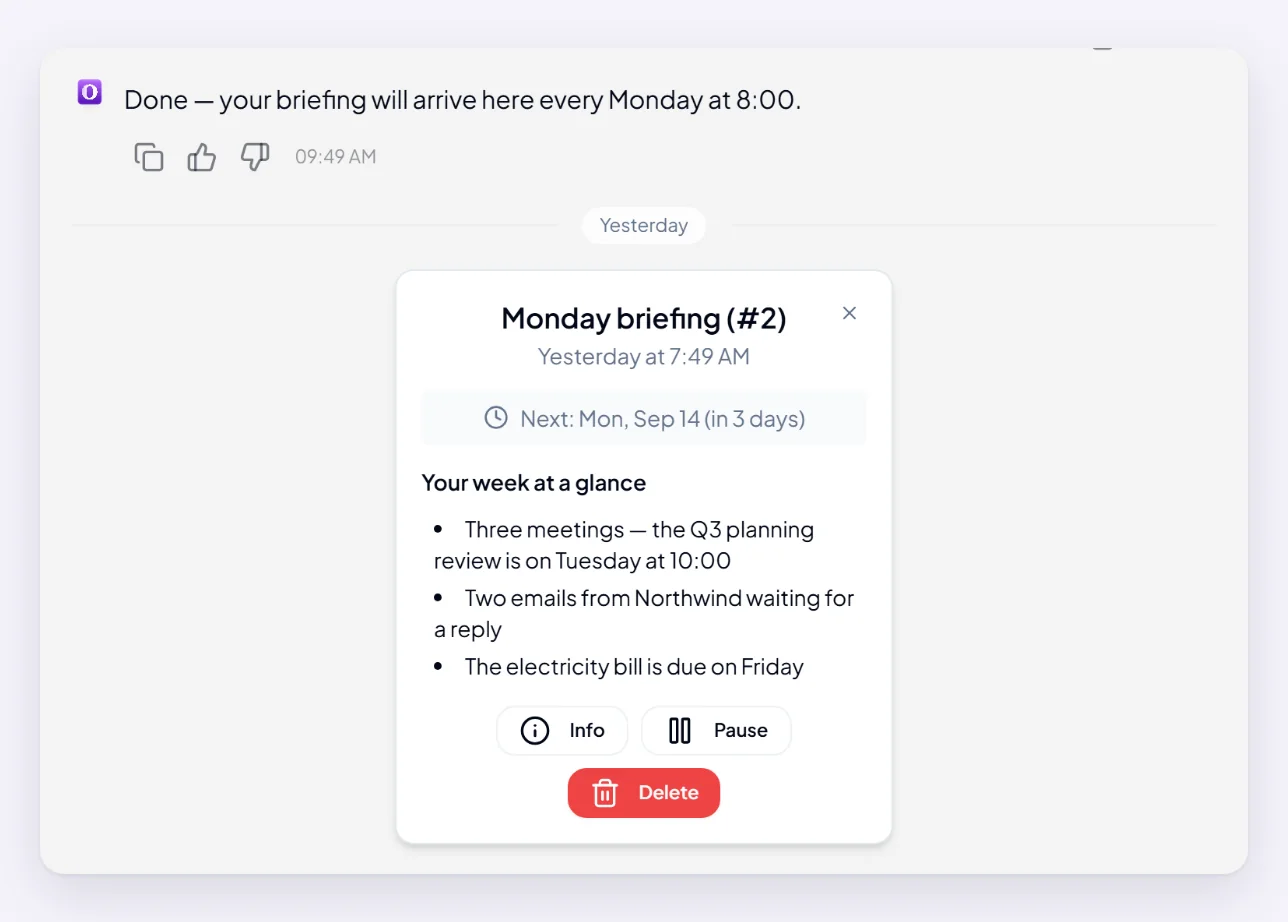
Buttons appear when Orsola needs your decision before going further. Nothing on one of these happens by itself. A suggested meeting time is not in your calendar until you confirm it. A box you never answered is not stuck or broken — it is waiting for you, and it will keep waiting.
Getting results by email or on your phone instead
Go to Settings to choose how you are told:
- Email notifications — updates and alerts reach your registered email address.
- Push notifications — alerts on your device as they happen. Your browser or phone will ask permission the first time; if you refused it once, that has to be undone in the browser or device settings, not here.
Notifications inside Orsola cannot be switched off — the bell always works while you are signed in. Email and push are additions to it, not replacements for it.
The result itself always lands in the conversation either way. Email and push tell you it is there; they are not where the work is delivered.
Finding an old result
Every run stays in the conversation the job was set up in, in order, so scrolling back through a weekly job shows you every week it has run.
If you cannot remember which conversation that was, the Task agent lists everything you have scheduled and takes you to it. Deleting the conversation does not delete the schedule — the job survives and keeps running.
Where to go next
Choose what you get notified about has the settings in full. If a result never arrived at all, my reminder did not run is the place to start.