



See and change what you have scheduled
Check what has run, pause something, or delete a job you no longer want.
Open your scheduled work
Open Task in the sidebar. Everything you have scheduled is listed, whether you set it up there or just asked for it in conversation.
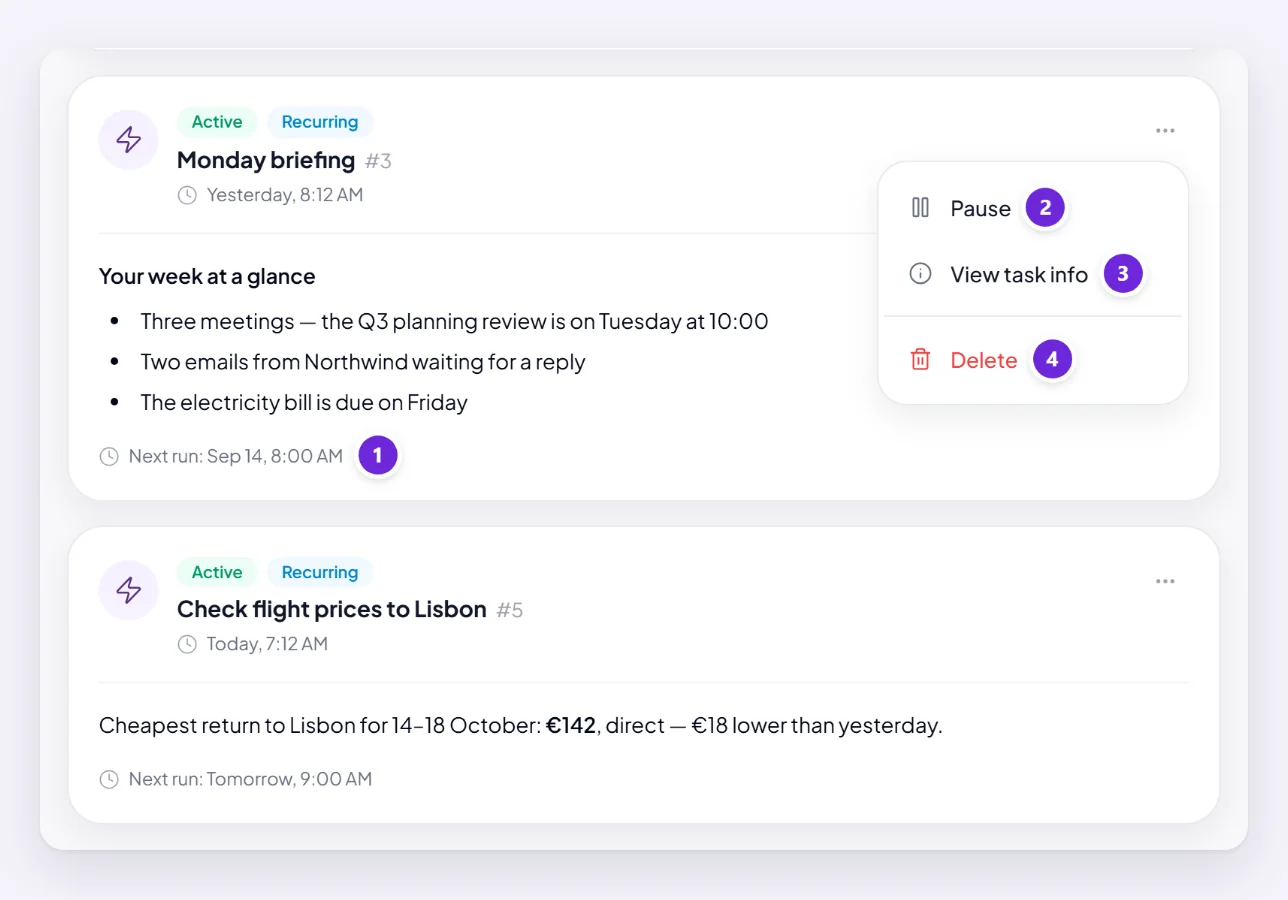
This is the screen that answers most "did it actually work?" questions, because it shows the state rather than making you infer it.
See when it last ran and what it produced
Each job shows its name, when it next runs, and how many times it has run. Its ⋯ menu holds the rest: View task info opens the detail — the schedule, the next execution, and the run history.
A job showing No upcoming execution is not going to run again. That is either a one-off that has already happened, or something paused — worth checking which.
The results themselves live in the conversation the job was set up in, not on this screen. Where scheduled results turn up covers that.
Pause and resume
Pause, in the same menu, stops it running without deleting it; Resume starts it again. Use pause for a holiday, or while you fix whatever it depends on.
A paused job keeps its schedule and its history, so resuming picks up where it left off rather than starting over.
Orsola also pauses jobs on your behalf when one fails five times in a row, so something broken does not keep costing credits. A job you did not pause but which is not running is usually this — fix the cause before resuming, or it will stop itself again. My reminder did not run goes through the causes.
Change the schedule
You do not need this screen for that. Say it in the conversation: "make that 7am instead of 7pm", "weekdays only", "change it to monthly". Orsola confirms what it recorded, and it is worth reading back.
Delete one
Delete, in the same menu, removes it for good. The results it already produced stay in their conversation — deleting the job stops future runs, it does not erase past work.
If you might want it again, pause it instead. Deleting is not reversible, and rebuilding a well-worded recurring job is more annoying than it sounds.
Where to go next
Ask for something to happen later or every week if you are adding another, and my reminder did not run if one has gone quiet.