



Your gallery of files, images, and recordings
Everything you have added and everything Orsola has made, in one place you can filter.
Open the gallery
Gallery is in the sidebar, in the conversation view. It is a panel rather than a page of its own, so it opens over what you were doing and closes again without losing your place.
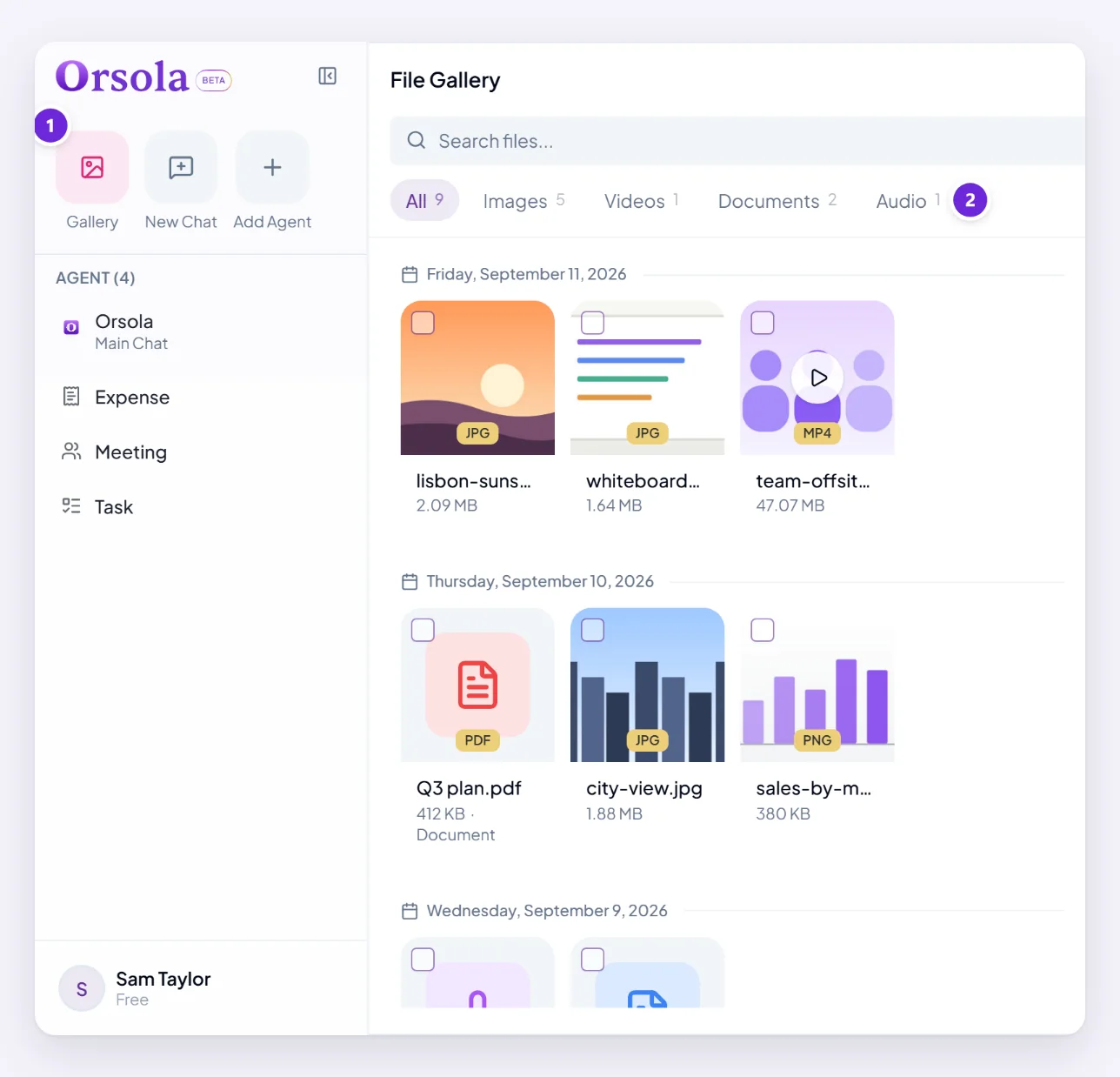
It holds everything in one place — files you attached and files Orsola made for you, across every conversation. This is where to look when you know something exists but not where. Anything produced in a conversation you have since lost track of is still here.
Filter by what it is
Four categories, and audio splits further because it comes from several places:
- Images — pictures you added and images Orsola generated.
- Videos
- Documents — PDFs, spreadsheets, text.
- Audio — and within it, Conversation, Meeting, Phone, Voice Agent and Other.
That audio breakdown is the quickest route to a specific recording: filter to Meeting and you have every meeting without wading past voice sessions and phone calls.
You can also search by filename, and sort by date, name or type. Clear Filters puts it back.
Tell apart what you added and what Orsola made
Sorting by date is usually enough — you know roughly when you uploaded something. For generated images, filtering to Images and sorting by date is the fastest way to the one you are thinking of.
If you cannot find something, check the conversation you were in when it appeared. A file always belongs to the conversation it was created or attached in, and opening that conversation shows it in context.
Select several and delete them
- Choose Select Files.
- Tick what you want to remove — a running count shows how many are selected.
- Choose Delete Files and confirm.
Deleting is permanent. Download anything you want to keep first — and remember that a file Orsola saved to your Drive or OneDrive lives there too, so deleting it here does not remove that copy.
Deleting a file does not delete the conversation it came from; the messages stay, without the attachment.
Where to go next
What Orsola can read, and the limits covers what you can add in the first place, and who can see your chats, files, and recordings covers who else can reach any of it — nobody.