



Storage: what you are using, and freeing some up
What the storage panel in your gallery counts, and how to free some space.
What it measures — read this first
The storage panel counts the files stored on your account — everything in your gallery, whichever device you added it from. It shows the same total wherever you sign in.
It is a total, not a warning. There is no percentage and no limit on it, so a growing number is simply how much you have kept, not a sign that you are running out of room.
Find it in your gallery, in the column beside your files. It appears when the window is wide enough, as on a computer; on a phone it is not shown.
What it shows
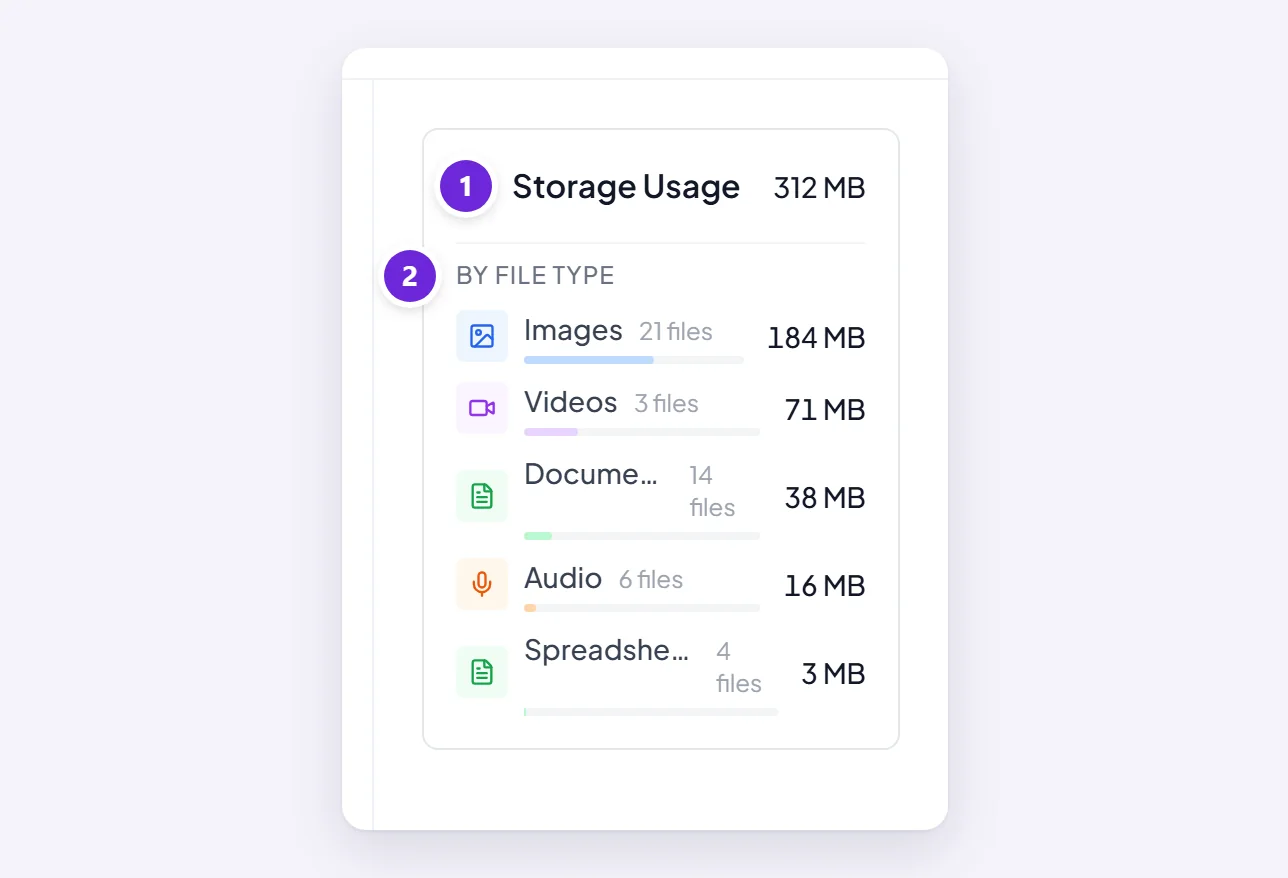
- Storage Usage — the total size of your files.
- By File Type — images, videos, documents, audio and the rest, each with how many files and how much space they take, largest first.
Free some up
Delete files in your gallery. That removes them for real, on every device, and the total drops to match.
Deleting is permanent, so look before you clear anything you might want again. Deleting a conversation does not remove the files that were in it — they stay in the gallery until you delete them there.
Where to go next
Your gallery of files, images, and recordings is where deletions actually happen.